 Archetyp

Harvestry
Learning · A Mac app
Stop rewatching. Start learning. Harvestry transcribes your videos, captures the key slides, and exports a polished, interactive study document, entirely on your Mac and entirely in private.
- Field
- Learning and knowledge work
- Platform
- macOS 15 or later, Apple Silicon
- Technology
- WhisperKit, AVFoundation, and Apple Vision
- Status
- Shipping, version 1.3
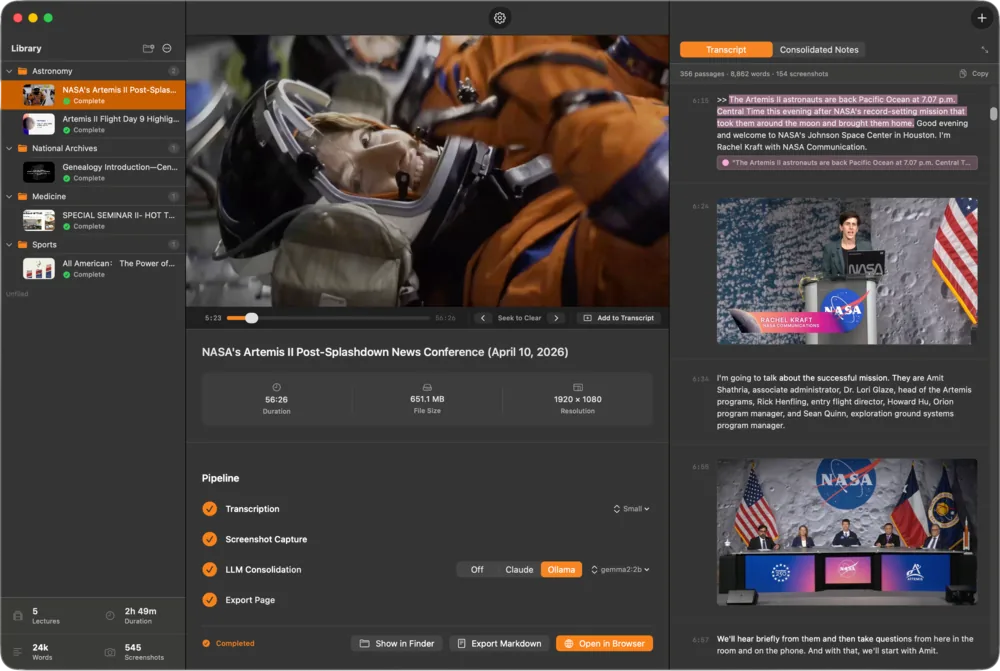
Import a Video. Get a Document.
You can rewatch a video, but you can't search it, highlight it, or find the one slide you half remember. Paste a link from YouTube, Vimeo, or a thousand other sites, or drop in a file, and Harvestry turns it into a study page you can read, search, and mark up.
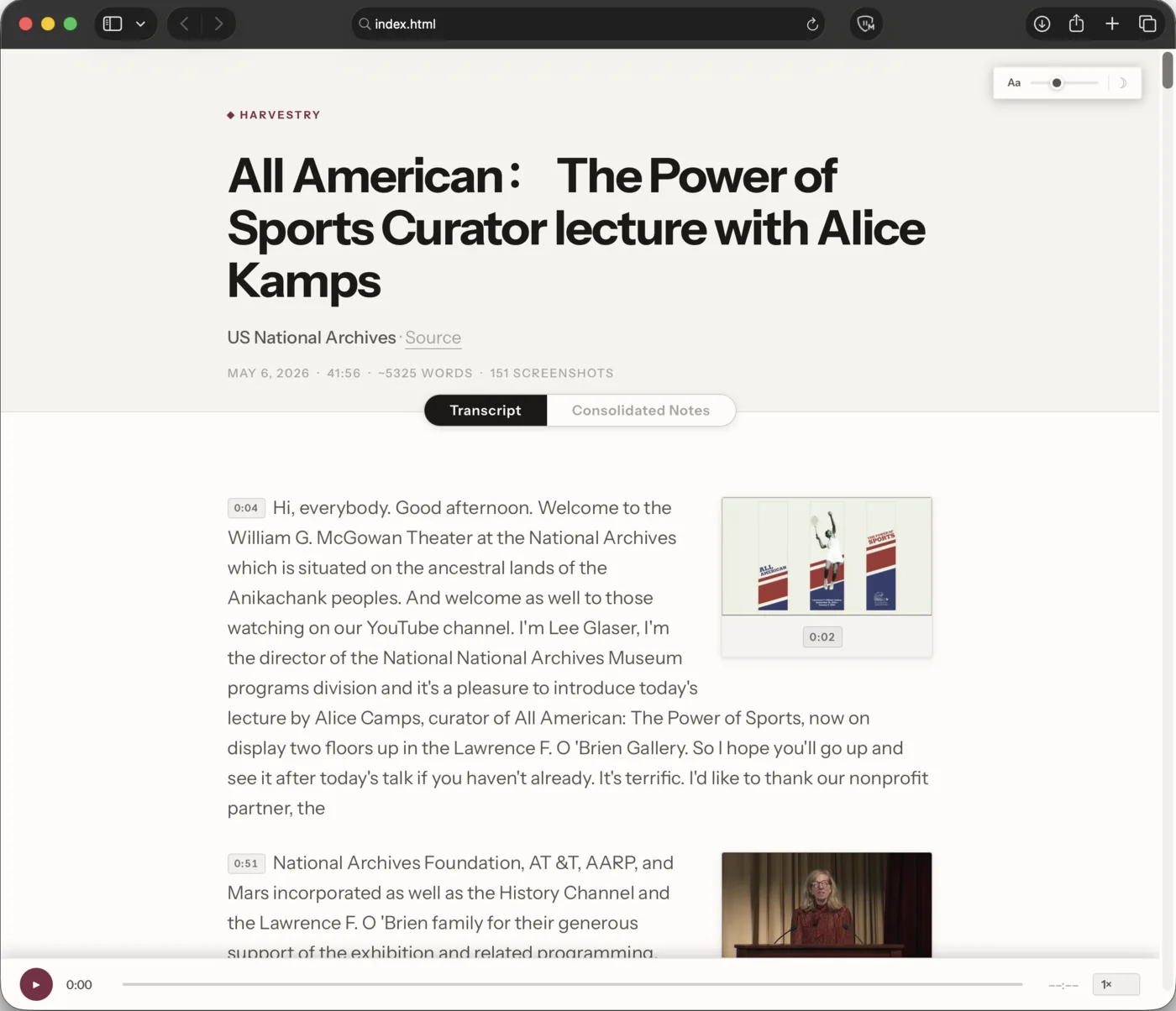
Research-Grade Transcription, On the Device
Every word is transcribed on the Apple Neural Engine with WhisperKit, Argmax's optimized build of OpenAI's Whisper. There's no API key, no upload, and no subscription.
Five model sizes trade speed for accuracy. Whisper's 100 languages are transcribed as they were spoken, or, with Harvestry Pro, translated into English in the same pass.
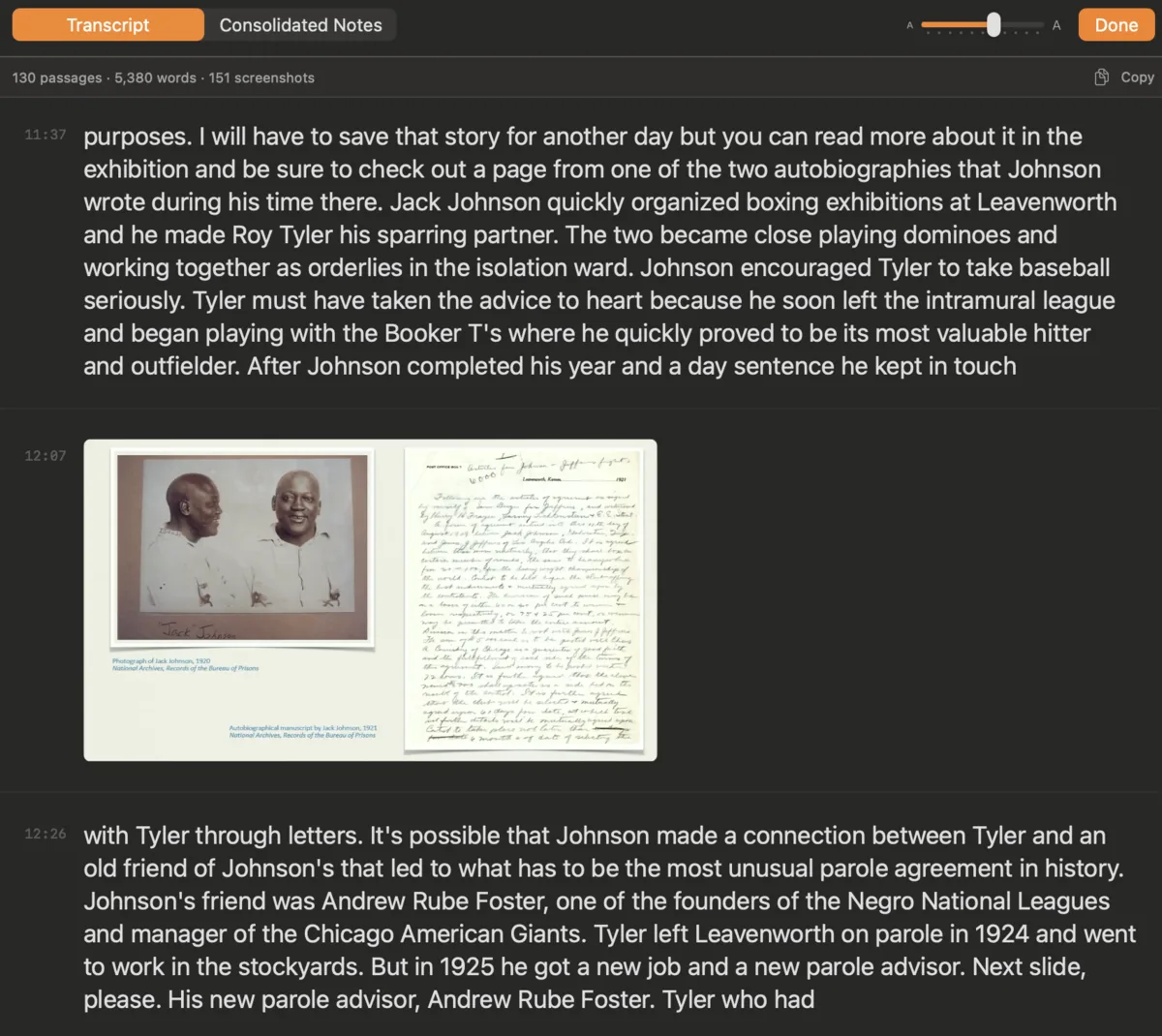
Every Slide, Once
Not every frame deserves a screenshot, and the same slide should never be captured twice. Harvestry runs each video through a pipeline that keeps the distinct slides and quietly drops near-duplicate shots of the speaker.
Capture runs on the GPU while transcription runs on the Neural Engine, so a 90-minute video finishes both at the same time.
- 1Decode
Frames come off the Mac's hardware video decoder, on the GPU.
AVFoundation · VideoToolbox - 2Find the text
Each frame is scanned for the shape of a slide: titles, bullets, and blocks of text.
Apple Vision - 3Read it
Accurate on-device OCR reads the actual words, so every slide is searchable.
On-device OCR - 4Keep it once
Perceptual fingerprints keep each distinct slide and drop near-duplicates of the speaker.
Perceptual fingerprints
A Library Worth Coming Back To
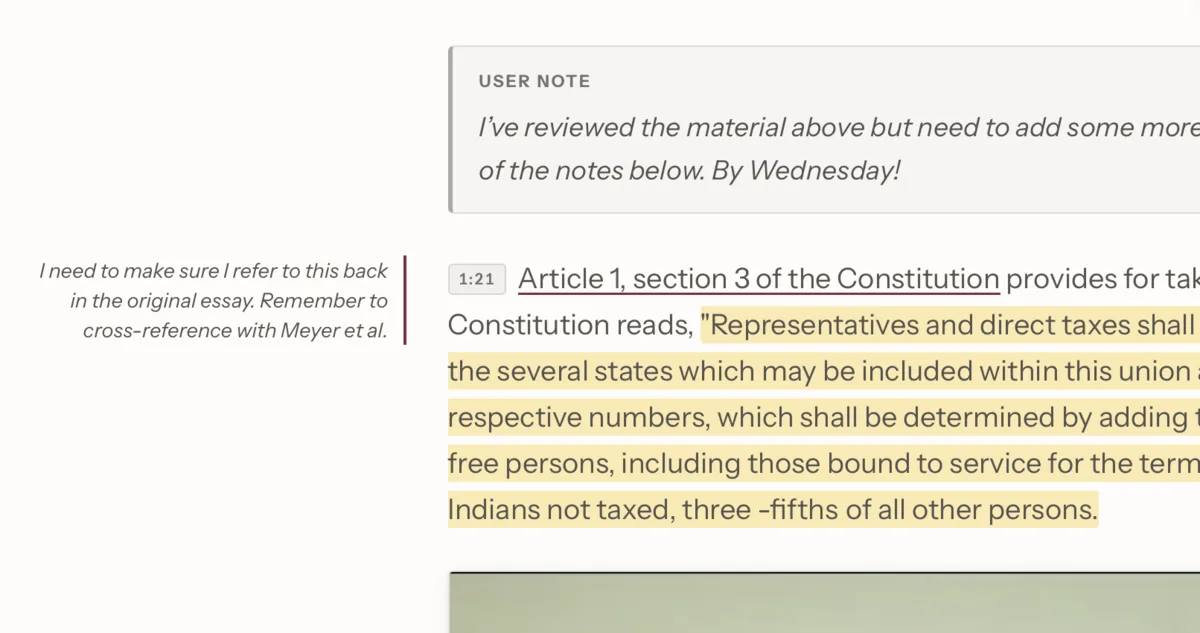
Highlights in four colors and notes in the margin are baked into the exported page, visible the moment it opens. Lectures sort into folders and sync through your own iCloud.
The export has no web fonts and no remote scripts, so it opens in any browser, on any device, today or in ten years.
Under the Hood
On-device speech
WhisperKit on the Apple Neural Engine, in five model sizes and 100 languages.
Hardware video decoding
AVFoundation and VideoToolbox pull frames on the GPU, alongside transcription.
Vision and OCR
Apple Vision reads each slide's words; fingerprints keep each slide once.
One self-contained file
Live word highlighting, audio sync, and dark mode in a single HTML page that needs no internet.
Five interface languages
English, German, Italian, Spanish, and French, following the Mac's own setting.
AI only if you ask
Optional notes by Claude or ChatGPT, or with Pro, a local Ollama model that keeps even that step on the Mac.
Private by Design
Transcription, translation, screenshot capture, and export all happen on the Mac, and nothing is sent to us. It's the instinct we bring to patient data: keep it where it belongs.